Odoo – FreeAgent Integration: Customer Invoices Without Retyping
Odoo – FreeAgent Integration: Customer Invoices Without Retyping
Running sales in Odoo and keeping the books in FreeAgent(opens in new tab) is a workable split, until someone has to copy every invoice from one system into the other by hand. That is slow, and every retyped invoice is a chance for a wrong amount, a missing VAT rate or a duplicated customer.
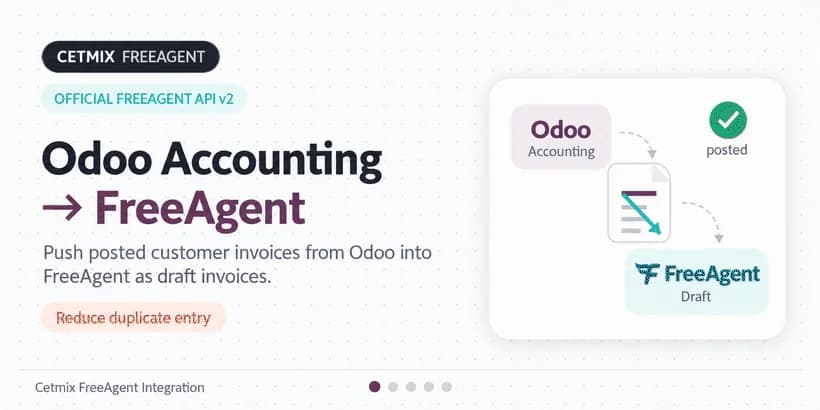
We built a free Odoo 19 module that removes the copying. Post a customer invoice in Odoo, and the integration creates the matching draft invoice in FreeAgent, with the contact and VAT ready for your team to review and send.
It uses the official FreeAgent API v2, and it is free to install.
Keep Odoo Community, run accounting in FreeAgent
There is a practical benefit beyond saving time. Because FreeAgent handles your accounting, you can run Odoo Community Edition for sales and invoicing and skip the paid Odoo Enterprise licenses that you would otherwise need for accounting features. Odoo licensing is priced per user and can be hard to predict as your team and needs grow. With this integration, your accounting cost is a FreeAgent subscription you already know, and the Odoo side stays open source.
What the integration does
- Draft invoices in FreeAgent. Each posted customer invoice becomes a draft in FreeAgent. Your team reviews and sends it from there when it is ready.
- Automatic or manual sync. Invoices go out when you validate them, and an hourly scheduled job catches anything that was missed. You can also push an invoice yourself at any time with Sync now.
- Contacts kept in sync. The module creates the FreeAgent contact, or matches an existing one by email, and refreshes its details on each invoice.
- Status on the invoice. A dedicated FreeAgent tab on the customer invoice shows the sync status, the invoice reference, the Sync now button and an Open in FreeAgent link.
- Your numbering, your choice. Send the Odoo invoice number to FreeAgent as the reference, or let FreeAgent assign the next number from its own sequence. In that case the number is stored back on the Odoo invoice.
- VAT that FreeAgent accepts. FreeAgent expects a single VAT rate per invoice line. The module combines percentage taxes applied on the net amount into that single rate, and lines without tax are sent as 0%.
- Sandbox support. Connect to a FreeAgent sandbox account first and test the whole flow before touching your live books.
Set it up in a few minutes
1. Register an app in FreeAgent
Sign in to the FreeAgent Developer Dashboard(opens in new tab) and register a new app. Set the redirect URI to:
https://<your-odoo-host>/freeagent/callback
Copy the Client ID and Client Secret.
If you would like to test first, create a FreeAgent sandbox account(opens in new tab). You will enable the Sandbox option in Odoo and authorize with the sandbox login.
2. Configure Odoo
In Odoo, go to Invoicing → Configuration → Settings and find the FreeAgent section.
- Turn on Enable FreeAgent sync.
- Paste the Client ID, Client Secret and Redirect URI.
- Fill in Your FreeAgent URL. It is used for the Open in FreeAgent links and is required for correct sandbox links.
- Choose the Invoice reference on FreeAgent: the Odoo invoice number, or the next number from FreeAgent.
- Click Authorize and approve access in FreeAgent. You do this once per company.
3. Turn on automatic sync (optional)
Enable Automatic FreeAgent synchronization if you want posted invoices to go out on validation. Use Sync invoices from to set the start date. Only invoices created on or after that date are synced. Adjust the hourly scheduled action if you need a different window.
Day-to-day use
Give the customer an email address if you rely on contact matching, and fill in the address and VAT number as you want them to appear in FreeAgent. Then post the invoice as usual.
- Sync now sends a posted invoice while its status is Not Synced or Error.
- Synced means the FreeAgent draft is in place. Open it with one click.
- The scheduled job picks up Not Synced invoices created on or after the Sync invoices from date. For older invoices, use Sync now after posting.
- Posting always completes in Odoo, even if the sync fails. The error message stays on the FreeAgent tab so you can fix the problem and retry.
That last point matters: a FreeAgent hiccup, an expired authorization or a missing email never blocks your invoicing.
Need something different?
The module is free and covers the common flow out of the box. If your process needs more, we can tailor it to your books: extra fields, another document flow, or a custom FreeAgent process for your company. Contact us and tell us what you need.
Get the module from the Odoo App Store(opens in new tab).